Any IPTV subscription is only as good as the box it plays on. A cheap, underpowered stick will stutter on busy channels, struggle with a big TV guide and turn a perfectly good service into a frustrating one.
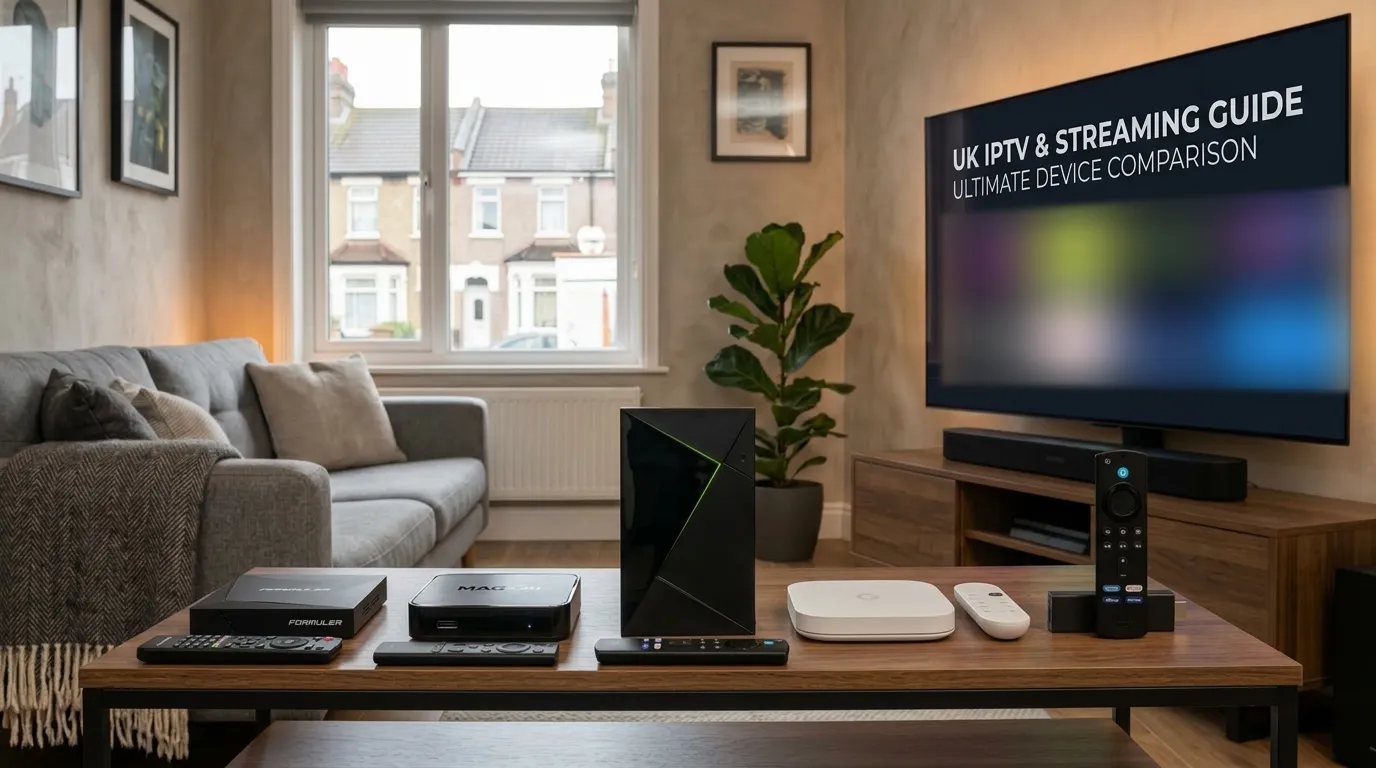
The good news is that you don’t need to spend much. Below are the five boxes we recommend most often to UK customers, what each one is best at, and which one we’d buy for different homes.
Quick answer: For most people, the Amazon Fire TV Stick 4K Max is the best value. If you watch a lot of 4K sport and want the smoothest experience possible, the Nvidia Shield TV Pro is still the one to beat.
At a glance
| Box | Best for | 4K | Ethernet | Typical UK price |
|---|---|---|---|---|
| Fire TV Stick 4K Max | Best value overall | Yes | Adapter needed | £60–£70 |
| Nvidia Shield TV Pro | Best performance | Yes, with AI upscaling | Built in (gigabit) | £180–£200 |
| Formuler Z11 Pro Max | Traditional set-top-box feel | Yes | Built in (gigabit) | £140–£170 |
| Google TV Streamer | Simple, modern all-rounder | Yes | Built in | £90–£100 |
| MAG 524 | Plug-and-play simplicity | Yes | Built in | £90–£110 |
Prices are typical UK retail prices at the time of writing. All of them drop regularly in sales, so it’s worth waiting for a deal if you’re not in a hurry.
What actually matters in an IPTV box
Before the list, here’s what separates a good IPTV box from a bad one. It’s rarely the headline specs.
- Video decoding. 4K streams usually use the HEVC (H.265) codec. Every box on this list decodes it in hardware, which is what keeps playback smooth and the box cool.
- Memory (RAM). A large channel list and a seven-day TV guide take up memory. Boxes with 2 GB of RAM or more handle this comfortably; 1 GB boxes slow down.
- A wired connection. Wi-Fi is fine for HD, but for 4K and busy evenings an Ethernet cable is far more reliable. Boxes with a built-in Ethernet port make this easy.
- App support. Android TV, Google TV and Amazon’s Fire OS can run the popular IPTV players. MAG boxes have their own built-in player instead.
- The remote. You’ll use it for hours every week. Number buttons and a dedicated guide button make channel-hopping much quicker.
1. Amazon Fire TV Stick 4K Max: best value
The Fire TV Stick 4K Max is the most popular IPTV device in the UK, and for good reason. It’s small, cheap, plugs straight into an HDMI port and has enough power for 4K playback and a full TV guide.
Why we like it
- Fast enough for smooth 4K and quick channel switching
- Wi-Fi 6E support, so it copes well even without a cable
- Plenty of storage for a couple of player apps
- Easy to set up with our Fire Stick installation guide
What to watch out for
- No Ethernet port. If your router is in another room, add an official Amazon Ethernet adapter.
- Player apps aren’t in the Amazon Appstore, so you install them with the free Downloader app. It takes about five minutes.
- Buy the 4K Max, not the “4K Select”. Amazon’s newer Fire TV Stick 4K Select runs a different operating system (Vega OS) that can’t install IPTV player apps. Check the model name before you buy.
Best for: almost everyone, especially if you want 4K without spending much.
2. Nvidia Shield TV Pro: best performance
The Shield TV Pro first launched in 2019, and it’s still the most powerful Android TV box you can buy. It’s the box we’d choose for a main living-room TV if budget allows.
Why we like it
- The fastest, smoothest playback of any box here, even on a very large channel list
- Gigabit Ethernet and two USB ports
- AI-enhanced upscaling makes HD channels look noticeably sharper on a 4K TV
- Every major IPTV player is available from the Google Play Store
What to watch out for
- It’s the most expensive box on the list by some distance
- The hardware is getting old, although regular software updates have kept it running well
Best for: sport fans with a big 4K TV who want the best possible picture. See our Nvidia Shield guide for setup.
3. Formuler Z11 Pro Max: the traditional set-top box
Formuler boxes are built specifically for IPTV. The Z11 Pro Max runs Android TV but comes with Formuler’s own MYTVOnline player built in, which feels much like a satellite or cable box: channel numbers, a fast guide and a proper remote.
Why we like it
- MYTVOnline is one of the best built-in IPTV players available
- Plenty of memory and storage, plus gigabit Ethernet
- A remote designed for live TV, with number keys and a guide button
- You can still install other Android apps if you want them
What to watch out for
- Costs more than a streaming stick
- MYTVOnline usually logs in with the box’s MAC address, so your provider needs to activate it first (we do this for you)
Best for: anyone switching from satellite or cable who wants something that feels familiar. Our Formuler guide walks through setup.
4. Google TV Streamer: the simple all-rounder
Google’s own streaming box sits under your TV rather than behind it, and comes with a built-in Ethernet port. It runs Google TV, so IPTV players install straight from the Play Store with no sideloading.
Why we like it
- Quick, modern interface and a good remote
- Ethernet built in
- Apps install from the Play Store, so setup is easy
- Plenty of memory for a large TV guide
What to watch out for
- More expensive than a Fire Stick for similar IPTV performance
- The Google TV home screen puts its own recommendations first, so you’ll want to pin your player app to the front
Best for: households already using Google or Android devices who want a tidy, reliable box.
5. MAG 524: plug-and-play simplicity
MAG boxes are made for one job: IPTV. There are no apps to install. Your provider activates the box’s MAC address, you type in one portal address, and the channel list appears.
Why we like it
- The simplest setup of any box. Ideal for less confident users.
- Starts up quickly and goes straight to live TV
- Built-in Ethernet and 4K support on the 524
- Very reliable. There’s not much that can go wrong.
What to watch out for
- No app store, so you can’t add other streaming apps
- The built-in player is functional rather than beautiful
- Older MAG models (250, 254, 322) only play HD, so check you’re buying a 4K model
Best for: older relatives, second TVs and anyone who just wants TV that works. Setup is covered in our MAG box guide.
Which box should you buy?
- Tight budget, one TV: Fire TV Stick 4K Max.
- Big 4K TV, lots of sport: Nvidia Shield TV Pro.
- Coming from satellite or cable: Formuler Z11 Pro Max.
- Want easy Play Store setup and Ethernet: Google TV Streamer.
- Setting it up for someone who isn’t techy: MAG 524.
Do you need a box at all?
Not always. Many Samsung, LG, Sony, TCL and Hisense smart TVs can run an IPTV player directly (see our Smart TV guide). Phones, tablets and laptops work too.
That said, a dedicated box is usually faster than a TV’s built-in apps, gets updates for longer and is easy to replace. If your TV’s own app feels sluggish, a £60–£70 stick is the cheapest upgrade you can make.
Whichever box you choose
Your GoLiveOnTV login works on every device in this list, and one plan includes the full lineup whichever box you use. If you’re unsure which to buy, message us with the TV you have and we’ll recommend one. When it arrives, we’ll help you set it up.