Most IPTV websites look the same. They all promise tens of thousands of channels, 4K and “no buffering”. The difference between a good service and a bad one only shows up later: on a busy Saturday night, when something goes wrong, or when the plan runs out.
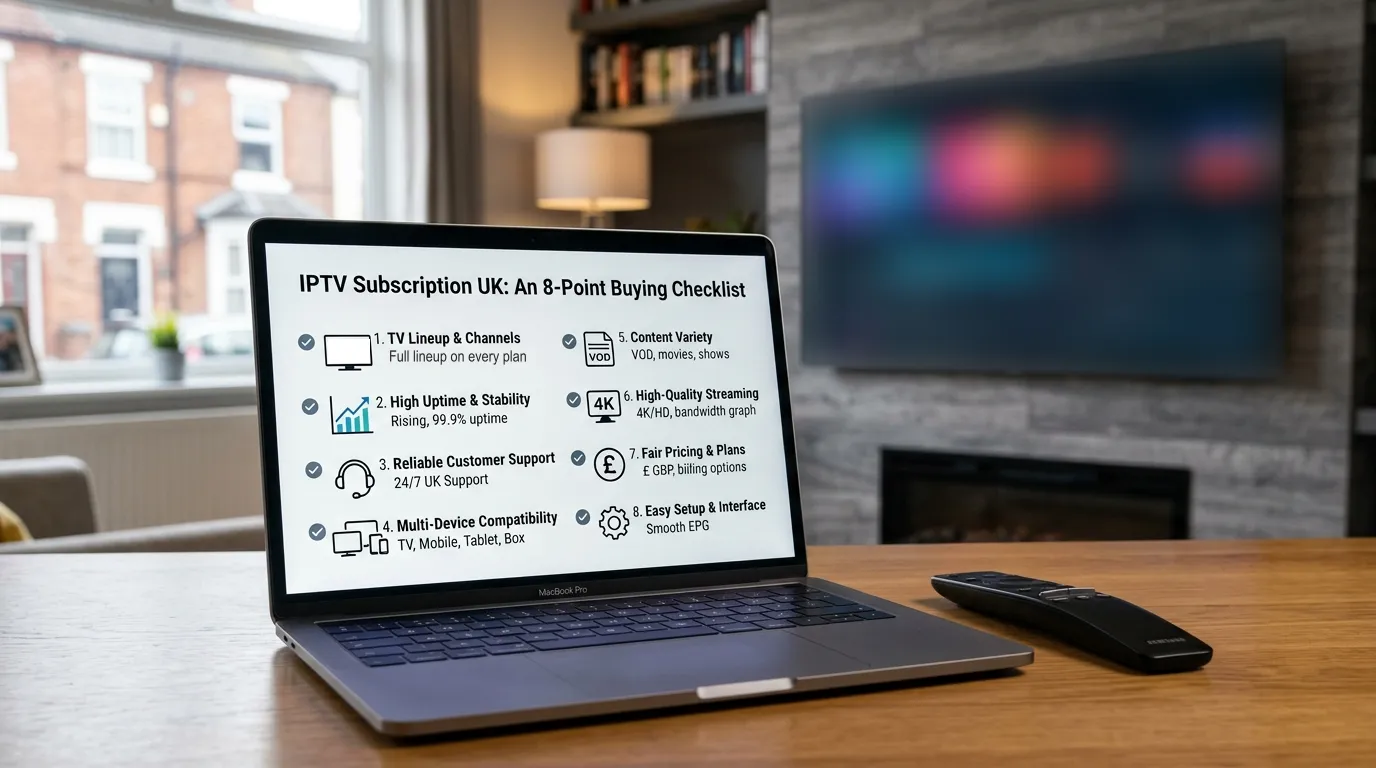
This checklist covers the eight things worth checking before you pay. Each one takes a minute or two to find out, and together they’ll tell you far more than any list of channel counts.
Tip: Save this page and go through it with every provider you’re considering, including us. A good provider will be happy to answer every question on it.
1. Does the cheapest plan include everything?
Some providers advertise a low monthly price, then keep sport, films or 4K for a “premium” tier. By the time you’ve added everything you actually want, the price has doubled.
What to check: Compare the one-month plan’s feature list with the longest plan’s. If sport, 4K or on-demand content only appears on the more expensive tiers, work out what you’ll really pay.
What good looks like: The same lineup on every plan, with only the length and total price changing. At GoLiveOnTV, every plan from £19.99 opens the full lineup.
2. Is uptime published, and does it hold at peak times?
Any service works on a quiet Tuesday afternoon. What matters is Saturday at 3pm and big evening events, when everyone logs on at once.
What to check:
- Does the provider publish an uptime figure (for example, 99.9%)?
- Do they explain where their servers are? UK and European servers usually mean better performance for UK viewers.
- Do they say what they do before big events, such as adding capacity?
Red flag: Vague claims like “the most stable service in the UK” with no numbers behind them.
3. How do you reach support, and how fast do they reply?
Something will go wrong eventually. It might be a device update, a router problem or a channel that drops. When it does, you want a person who replies in minutes, not a contact form that replies in days.
What to check:
- What support channels are there? WhatsApp or live chat is much faster than email alone.
- What are the support hours, and do they cover evenings and weekends?
- Is there a stated reply time?
Try it: Send a question before you buy. How long the reply takes, and how helpful it is, tells you exactly what support will be like later.
4. Is the refund promise in writing?
A refund policy only counts if it’s written down, specific and easy to find.
What to check:
- How many days do you have to ask for a refund?
- What are the conditions? “If we can’t fix the problem” is reasonable; “at our discretion” isn’t much of a promise.
- Is the policy on the website, or only mentioned in a chat?
What good looks like: A clear window (such as 7 days) and a simple condition, published on a refund policy page.
5. Will it renew automatically?
Auto-renewal isn’t always bad, but you should know about it before you pay, and it should be easy to turn off.
What to check:
- Is the plan a one-off payment or a subscription that renews?
- If it renews, how do you cancel, and how much notice do you need to give?
- Are your card details stored?
What good looks like: One-off payments that simply end, with a reminder when your plan is about to run out. Nothing is taken without you choosing to renew.
6. How good is the TV guide?
The electronic programme guide (EPG) is what turns a list of channels into something that feels like proper TV. A poor guide, with missing listings or the wrong times, makes finding anything a chore.
What to check:
- Does the service include a full TV guide, and how many days ahead does it show?
- Is catch-up available on some channels?
- Are channels organised into sensible categories, rather than one enormous alphabetical list?
Try it: If you get a demo, open the guide on a Saturday evening and check the listings against what’s actually on.
7. Will it work on your devices, and will they help you set it up?
“Works on all devices” is on every IPTV website. What you want is proof: proper setup instructions for the device you actually own, and someone to help if you get stuck.
What to check:
- Are there setup guides for your specific device (Fire Stick, Samsung, LG, MAG and so on)?
- Is setup help included, or charged extra?
- Does your login work in more than one player app, in case one stops working?
We publish step-by-step guides for eight types of device, and setup help on WhatsApp is included with every plan.
8. How many screens can you watch at once?
Most IPTV plans allow one stream at a time. That’s fine for one TV, but if the family wants to watch different things in different rooms, you’ll need extra connections.
What to check:
- How many simultaneous streams does the plan include?
- Can you install the app on several devices, even if only one plays at a time?
- How much does an extra connection cost?
Red flag: “Unlimited connections” on a cheap plan. Every extra stream costs the provider bandwidth, so unlimited usually means the servers are overloaded.
Bonus: check the VPN policy
Some people use a VPN to stop their broadband provider slowing down streaming traffic. Some IPTV providers block VPN connections; others allow them. If you already use a VPN, check it’s supported before you pay.
Your checklist at a glance
| # | Question | What good looks like |
|---|---|---|
| 1 | Does the cheapest plan include everything? | Same lineup on every plan |
| 2 | Is uptime published? | A real figure, UK/EU servers |
| 3 | How fast is support? | WhatsApp or chat, replies in minutes |
| 4 | Is the refund promise in writing? | Clear window, published policy |
| 5 | Will it auto-renew? | One-off payments, nothing stored |
| 6 | How good is the TV guide? | Full EPG, sensible categories |
| 7 | Will it work on your devices? | Device-specific guides and setup help |
| 8 | How many screens at once? | Clear limit, fair price for extras |
If a provider can give you a clear, confident answer to all eight, you’re very likely in good hands. If they dodge several, keep looking. Our guide to cheap IPTV warning signs covers what to avoid, and our provider scorecard shows how to compare services side by side.